How to Set Up a Home Office in a Sunny Room Without Glare on Your Screen
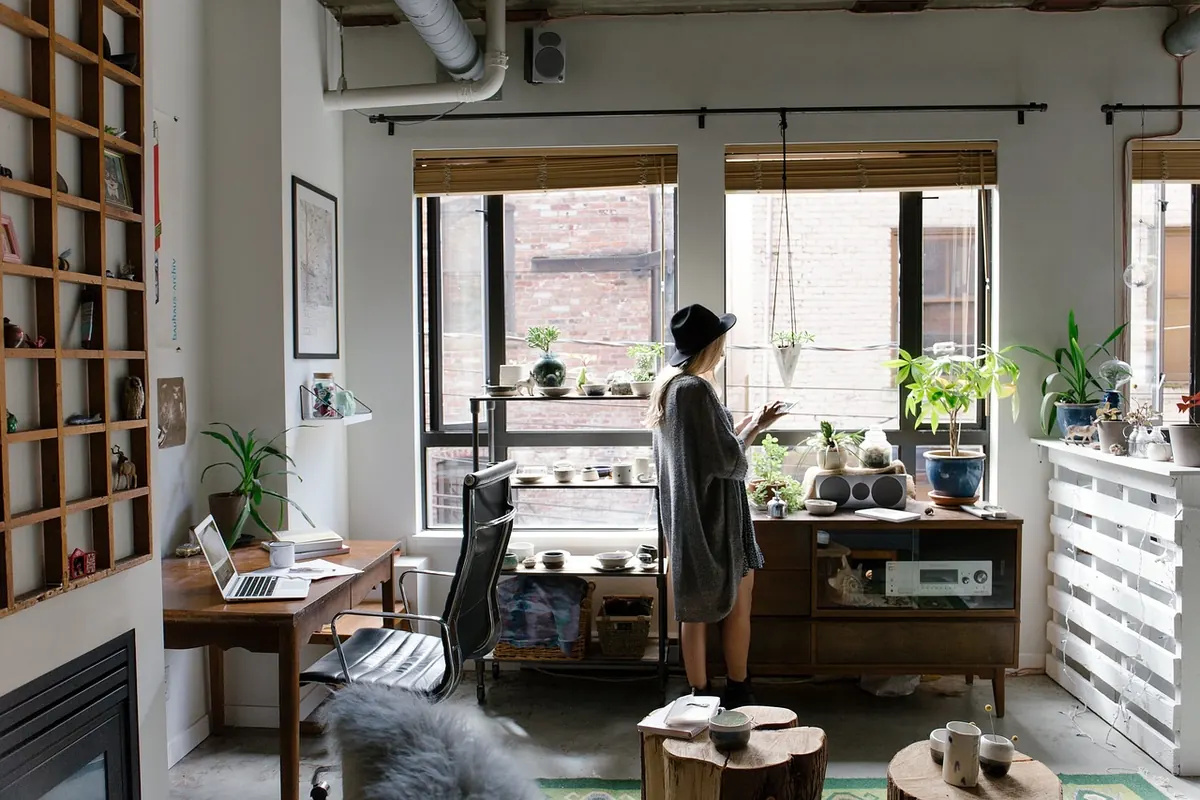
A bright room is usually why you chose this corner for a desk in the first place. Then the sun moves, and your screen turns into a mirror, your eyes start to ache, and you spend the afternoon squinting through a wash of white.
Glare is not a problem you solve once and forget. It is geometry — window, desk, screen, eyes — and it changes hour by hour as the sun travels. The encouraging part is that a few decisions about orientation and layering fix most of it, and none of them require buying a new monitor.
Read the Room's Light Before You Move Anything
Spend one ordinary day noticing where light lands and when. In the northern hemisphere, an east window throws hard, low sun in the morning and softens by noon, which makes it the easiest orientation to work with if you can tolerate early brightness. A south window stays bright all day, but the sun rides high, so any direct hit is short and simple to block. West windows cause the most trouble: the sun drops low in the afternoon, rakes straight across the room, and lands on screens and faces for two or three hours.
North light is even and cool, which is why painters and photographers have always wanted it, and why it is the least glare-prone wall to face. If you are south of the equator, swap east with west and north with south. What matters is the height of the sun, not the compass label.
The Desk Angle That Solves Most of It
Where you sit relative to the window matters more than any blind you can hang. Three arrangements, ranked:
- Best — side-on to the window. Light crosses your desk rather than hitting your eyes or your screen. If you write by hand, put the window on the side of your non-writing hand so your own shadow doesn't fall across the page.
- Workable — back to the window. You dodge eye-level glare, but your screen now faces the brightest surface in the room and will show it. Blinds plus a mid-tone wall behind the monitor make this liveable.
- Worst — facing the window. Your pupils adapt to the bright glass, which makes the screen look dim and gray no matter how far you turn it up. Every fingerprint shows. If the room layout leaves you no choice, window treatments are not optional.
If the desk cannot move
You still have room to manoeuvre. Swap a fixed stand for an articulating monitor arm and swing the screen fifteen or twenty degrees off the reflection path. Rotate the desk a few inches — small angles change reflection geometry more than you would expect. And shade only the portion of the window the sun is actually coming through, rather than closing the whole thing and sitting in gloom.
Place and Set the Monitor Deliberately
Do the mirror test first. Turn the screen off and look at the glass. If you can see the window in it, that is the glare you will fight all afternoon. Move the monitor, tilt it two or three degrees forward at the top, or do both.
- Height and distance. The top edge of the screen at or just below eye level, roughly an arm's length away. If you are craning your neck, glare is not your only problem.
- Brightness. Match the screen to the room instead of dimming the room to suit the screen. In a bright space, turn the monitor up — a panel running at 40 percent in a sunlit room looks washed out and forces strain.
- Finish. Matte panels scatter light; glossy panels mirror it. In a sunny room, matte wins almost every time.
- Theme. Dark interface themes emit less light and dull reflections a little, but they can make dark text harder to read when the room is bright. Try both in the real room, at the real hour.
Layer the Window Treatments
One blind rarely does the job. Two layers — something to diffuse near the glass and something to cut direct sun — cover almost every hour of the day.
- A sheer or light-filtering roller closest to the glass to soften everything behind it.
- Venetian blinds with the slats tilted to bounce light up onto the ceiling, turning harsh sun into a soft indirect wash.
- A roller shade for the west window during the late afternoon, when nothing else holds.
- Something outside: an awning, a shade sail, a deep eave, a tree. Exterior shading stops light and heat before they reach the glass and is the single most effective option if your lease allows it.
Vertical blinds suit wide windows better than horizontal slats. If you are weighing adhesive window film for a big fixed pane, check the glass manufacturer's guidance first — some films trap heat and can stress sealed double glazing.
Small Adjustments Worth Making
These add up, and most cost very little:
- Bias lighting — a strip or small lamp behind the monitor so the wall behind it isn't a dark hole beside a bright window.
- Keep the wall behind your screen mid-tone and matte. A glossy white wall becomes a second light source aimed at your screen.
- A tall plant or open shelving between window and desk breaks up direct light. It won't replace a blind, but it softens the edges.
- Use a warm desk lamp for task light rather than overheads, and keep it dimmer than the screen.
- A screen hood or deep monitor shroud helps if you work with color and need flat lighting.
- Anti-glare filters work, but they cost a little clarity. Fix position and blinds first.
A Setup You Can Copy
- Desk perpendicular to the window, window on your non-writing side.
- Monitor at arm's length, top edge at eye level, tilted slightly forward, positioned so no window shows in the glass.
- Sheer lowered to mid-height, venetian slats angled up toward the ceiling.
- Low bias light behind the screen.
- Re-check at mid-morning and again mid-afternoon, when most setups fail.
Adjust Through the Day, Not Just on Day One
The sun does not hold still, so your setup shouldn't either. Build a twenty-second reset into your routine: reach over, tilt the slats, drop the roller on the west side, carry on. Get the geometry right and you will need less artificial light, deal with less heat, and stop squinting at your own reflection.
If headaches or eye strain persist after those changes, mention it to an optometrist. Lighting is one variable among several, and glare is rarely the whole story.
Photo: StockSnap / Pixabay